Plan it. Then forget it.
Plan recurring tasks and smart triggers. Your daily to-dos are generated automatically. Available on all platforms. Sync across devices.
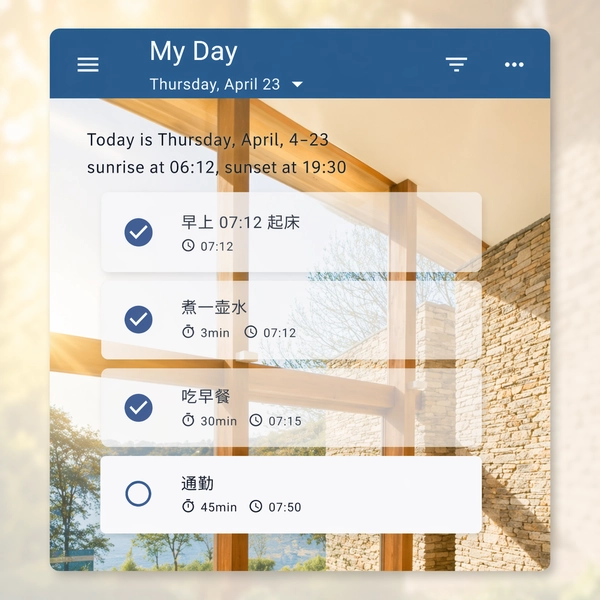
Quickly add and manage tasks with ease
Create tasks instantly by typing what you need to do. Set start time, estimated duration, and due date. Combined with progress tracking and color labels, task management becomes simple and efficient.
-
Progress tracking at a glance
Link tasks to progress accounts with two tracking modes — time-based or count-based — making it easy to monitor how things are going.
-
Parent & Child Tasks, Clearly Organized
Break complex work into structured subtasks with clear task hierarchies, making large goals easier to manage and progress easier to track.
-
Color labels, clear and intuitive
Assign a dedicated color to each task — red for urgent, blue for breaks. Use color to distinguish priority levels at a single glance.
-
Countdown Timer
Easily track the actual time spent on tasks with a countdown timer, or use it for fixed-duration activities like workouts and power naps.
-
Journal View
Browse daily tasks with infinite scrolling in the journal view, and export task summaries for a specified date range
-
Drag to Reorder, Auto-Schedule
Reordering tasks automatically recalculates their start times based on the previous task's start time and duration. Conflicting tasks are highlighted in red on the timeline for quick identification.
Flexible recurring plans for everyday life
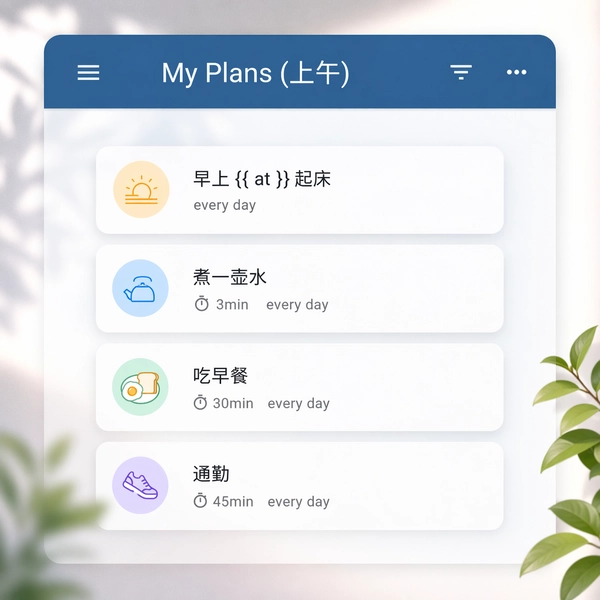
Define recurring tasks and trigger conditions with clean, simple syntax. Daily check-ins, weekly workouts, monthly bills, yearly anniversaries, and smart triggers — shower after workout, remind 3 days before a birthday, One plan covers every time dimension, everything under control.
-
Your daily to-do list, generated automatically
Each day, a to-do list is automatically generated. Queue mode for sequential execution, rotation mode for cycling schedules — keep every day organized.
-
Parent & Child Plans, Structure Preserved
Organize plans with parent-child hierarchies, and keep the same structure automatically when tasks are generated. Break down long-term goals and complex workflows with clarity from planning to execution.
-
Smart triggers, connected plans
Auto-remind to shower after a workout, notify 3 days before a birthday, Black Friday follows Thanksgiving. Use if, before, and after to link plans together — smart and effortless.
-
See future schedules in advance
Go beyond today's tasks — preview what's planned for any future date and prepare in advance.
Use Cases
Covers common scheduling needs. Set cycles and trigger conditions with ease — flexible yet powerful.
Daily
- desc: Morning wash-up
  every: day
- desc: Water the catnip
  every: 3day
Weekly
- desc: Go to the gym
  every: [Monday, Wednesday, Saturday]
  comment: Exercise Mon, Wed, Sat
- desc: Process emails on Friday
  every: Friday
Monthly
- desc: Pay utilities on the 1st
  every: 1
- desc: Overtime on last Saturday
  every: month
  last: Saturday
Yearly
- desc: Happy birthday
  every: 6-1
- desc: Annual review
  every: year
  last: 10day
Lunar
- desc: Lunar birthday
  every: 农历8-15
Smart trigger
- desc: Commute on workdays
  if: workday
- desc: Mon to Fri, except May 1-3
  every: [Mon, Tues, Wed, Thur, Fri]
  except: [5-1, 5-2, 5-3]
  tag: workday
FAQ
Find answers to common questions about PlanTodo features, usage, and technical advantages to help you get started.
How do I get started with PlanTodo?
Download the Android or Windows client right here on this page. Once installed, start by adding your first plan — begin with something simple like a daily task (e.g. "brush teeth every morning"), then gradually explore advanced features like smart triggers. If you run into questions, check out the tutorial. We've also prepared a curated example case — import it from the client's settings page to experience PlanTodo's capabilities right away.
What recurrence patterns does PlanTodo support?
PlanTodo supports four basic recurrence types: daily, weekly, monthly, and yearly. Each can also be set to intervals — for example, every 2 days, every 3 months. Lunar calendar dates are supported too. You can set up combinations like "every day", "every N days", "every Monday and Friday", "the 1st of each month", "the last Saturday of the month", "June 1st every year", and more — flexible enough for all your planning needs.
How do smart triggers work?
Use tags with the if, before, and after keywords to create relationships between plans. For example: "shower after workout", "remind me 3 days before a birthday", "Black Friday is the day after Thanksgiving". When one plan triggers, it can automatically trigger another — incredibly convenient.
Can I specify an exact start time?
Yes. Use the at field to set a specific time — at: 08:30:00 means execute at 8:30 AM. Also supports natural moments like dawn, sunrise, and sunset. You can even calculate relative time like "7.5 hours before dawn".
Can plans auto-start or auto-stop?
Yes. Use start_if and stop_if to set automatic enable/disable conditions. For example: "start the task after September 3rd", "active on the 1st and 5th, off on the 3rd and 7th". Plans can also auto-delete after triggering a set number of times (max_count).
What lunar calendar features are available?
Lunar calendar dates can be used as trigger conditions. For example, every: 农历8-15 means the 15th day of the 8th lunar month — perfect for tracking lunar birthdays and traditional holidays. Smart triggers are not yet supported for lunar dates.
Why do I see encrypted text after syncing to a new device?
If you perform a Full Download on a new device before importing your encryption key, PlanTodo cannot decrypt the downloaded data, so encrypted content will be displayed. Import the correct encryption key and run Decrypt Data. The application will automatically decrypt all downloaded data.
Does plan-to-task generation happen locally?
Currently, the server deduces plan states via API and the client updates plans and generates tasks accordingly — a hybrid cloud/local approach. This is because the inference engine was originally written in another language and can''t run directly on the client. Once the user base reaches sufficient scale, we plan to port it to the client for fully local execution.
Is my plan content sent to the server? Will my privacy be compromised?
You have nothing to worry about. Only recurrence-related fields like trigger conditions are used during inference — plan content, notes, and other unrelated data are never transmitted. Simply put: the server knows when something should trigger, but never knows what it is. The server is also stateless — memory is freed immediately after inference, and no data is ever stored.
Can I use the client offline?
Other than plan-to-task generation, which requires a network connection, everything else works fully offline. If you don''t need task generation, PlanTodo works as a completely local app. Once we port the inference engine to the client, full offline use will be supported.